
I want to see adult (18+) Episodes
Last updated: September 29, 2026
In the app, go to MY → menu (≡) at the top right → Settings → Account settings → Adult Content, tap 「Confirm Age」, and agree to the notice. That's it. You don't need any documents or a phone number.
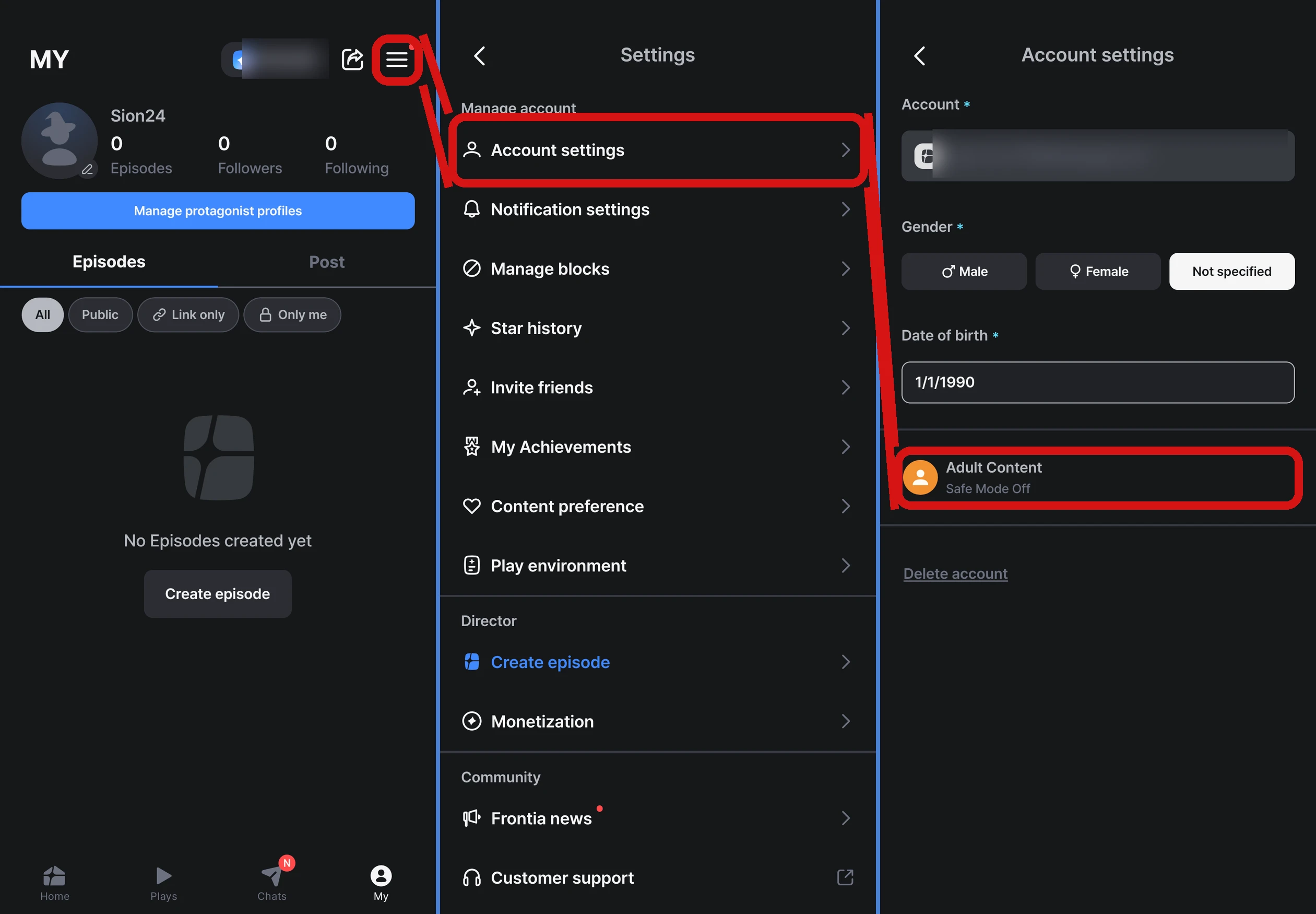
- If you haven't confirmed yet, it shows 「Safe Mode On」, and once you've confirmed, it shows 「Safe Mode Off」
- We check that you're 18 or older based on the date of birth registered to your account
- You only need to do this once per account, and it doesn't expire
- Age confirmation is only available in the app. You can't do it on the web
If confirmation doesn't work
- Check your registered date of birth — you can't continue if you're under 18 or if no date of birth is registered
- Make sure you're using the app — age confirmation isn't available on the web
- Update the app to the latest version — the screen may not open properly on older versions
- Restart the app — fully close it and try again
If it still doesn't work after several tries, let us know through Contact support.
FAQ
Q. I already confirmed my age, but it's asking me to confirm again.
Age confirmation doesn't expire, but if you change your date of birth, you'll need to confirm again. Go to MY → menu (≡) at the top right → Settings → Account settings → Adult Content and tap 「Confirm Age」 once more. If it keeps asking even though you haven't changed your date of birth, fully close and reopen the app. If that doesn't help, let us know through Contact support.
Q. I confirmed my age, but I can't see mature content.
First, check that MY → menu (≡) at the top right → Settings → Account settings → Adult Content shows 「Safe Mode Off」. If it's off and you still can't see it, restart the app or log out and log back in. If you still can't see it, let us know through Contact support.