
I want to delete my account
Last updated: October 29, 2026
You can delete your account in both the app and on the web.
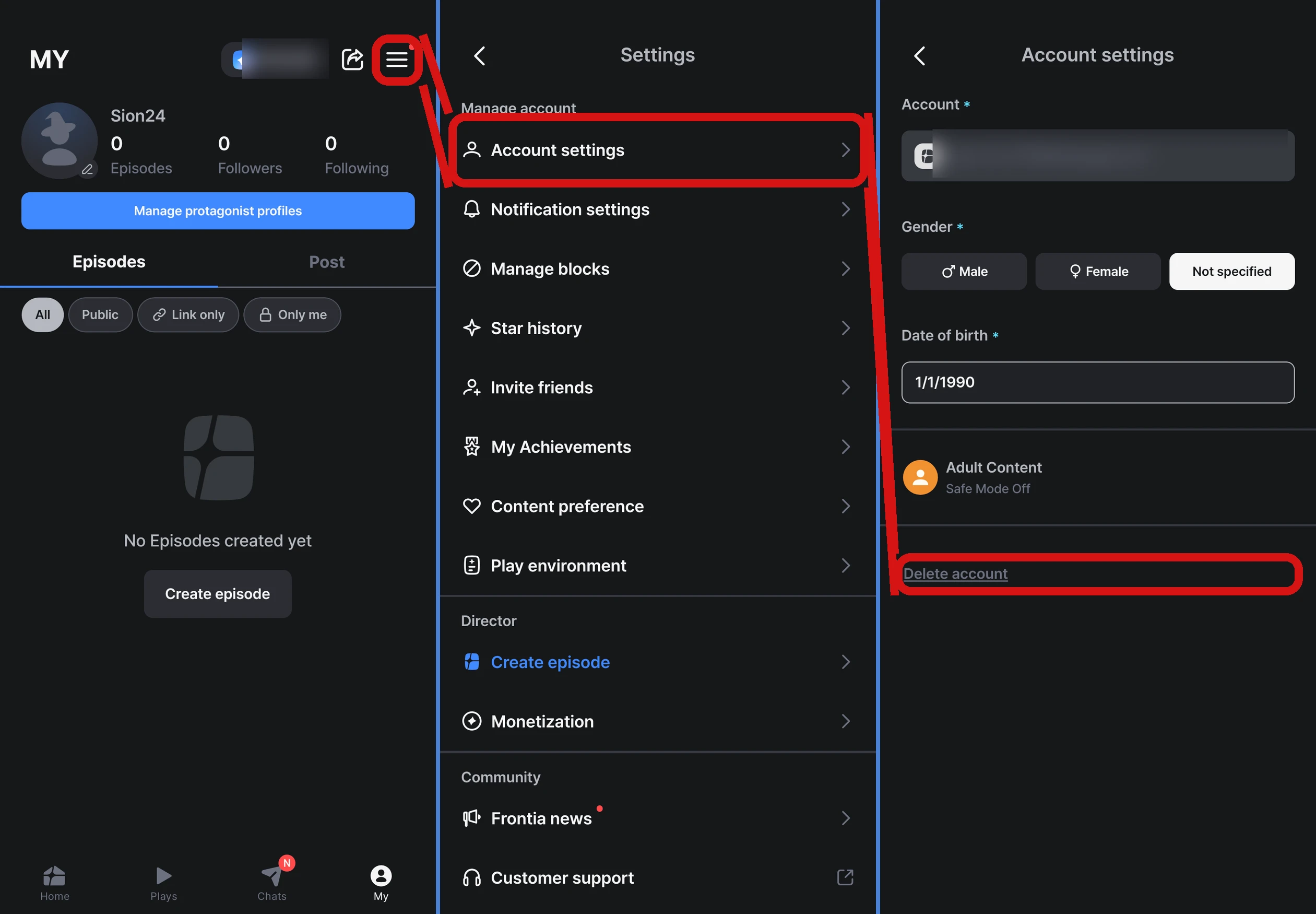
- App — MY → menu (≡) at the top right → Settings → Account settings → Delete account
- Web — Go to Settings → Account settings → 「Delete account」 at the bottom, choose 「Leave」 in the confirmation window, type the text shown on screen, and agree to the 2 notices to delete your account
What happens when I delete my account?
All of your data is permanently deleted — including your play history, Stars, Episodes you made, profile, and comments — and it can't be recovered. Please think it over carefully.
- Frontia is also disconnected from your linked social account
- You'll no longer get messages that characters send you first (「Get your own messages」), and that setting is turned off too
FAQ
Q. What happens if I sign up again after deleting my account?
You can sign up again with the same social account. However, your previous account's play history, Stars, Episodes, and so on won't be restored, and you'll start over with a brand-new account. Welcome Stars can only be received once per device and account, so you won't get them again if you sign up again.
Q. What happens to my remaining Stars?
Your Stars are deleted along with your account. If you have unused paid Stars, please request a refund first before deleting your account. Refunds aren't possible after your account is deleted.
Need help?
Contact us through MY → menu (≡) at the top right → Settings → Community → Contact support. Depending on your app version, the 「Frequently asked questions」 screen may open first. If so, tap 「Contact support」 at the bottom. We'll reply within 1–2 business days.