
Where do I enter a friend's invite code?
Last updated: October 19, 2026
Enter it in the 「Invite code」 field on the 「Confirm your info」 screen when you sign up in the app. There's no screen for entering a code after you finish signing up.
If you were invited: enter it when you sign up
- Start signing up in the Frontia app
- On the 「Confirm your info」 screen, where you choose your date of birth and gender, enter your friend's code in the 「Invite code」 field
- Finish the rest of the sign-up steps, and you and your friend each get 1,000 Stars
- If you install the app from an invite link your friend sent, the code may be filled in automatically. If it isn't, open the invite link again or enter the code yourself
- Entering an invite code is optional. You can sign up without one
- You can't enter an invite code when signing up on the web (frontia.ai)
If you want to invite someone: find your code
In the app, go to MY → menu (≡) at the top right → 「Settings」 → 「Invite friends」 to see your invite code and invite status.
Send your 6-character code with 「Copy code」, or share the invite link directly.
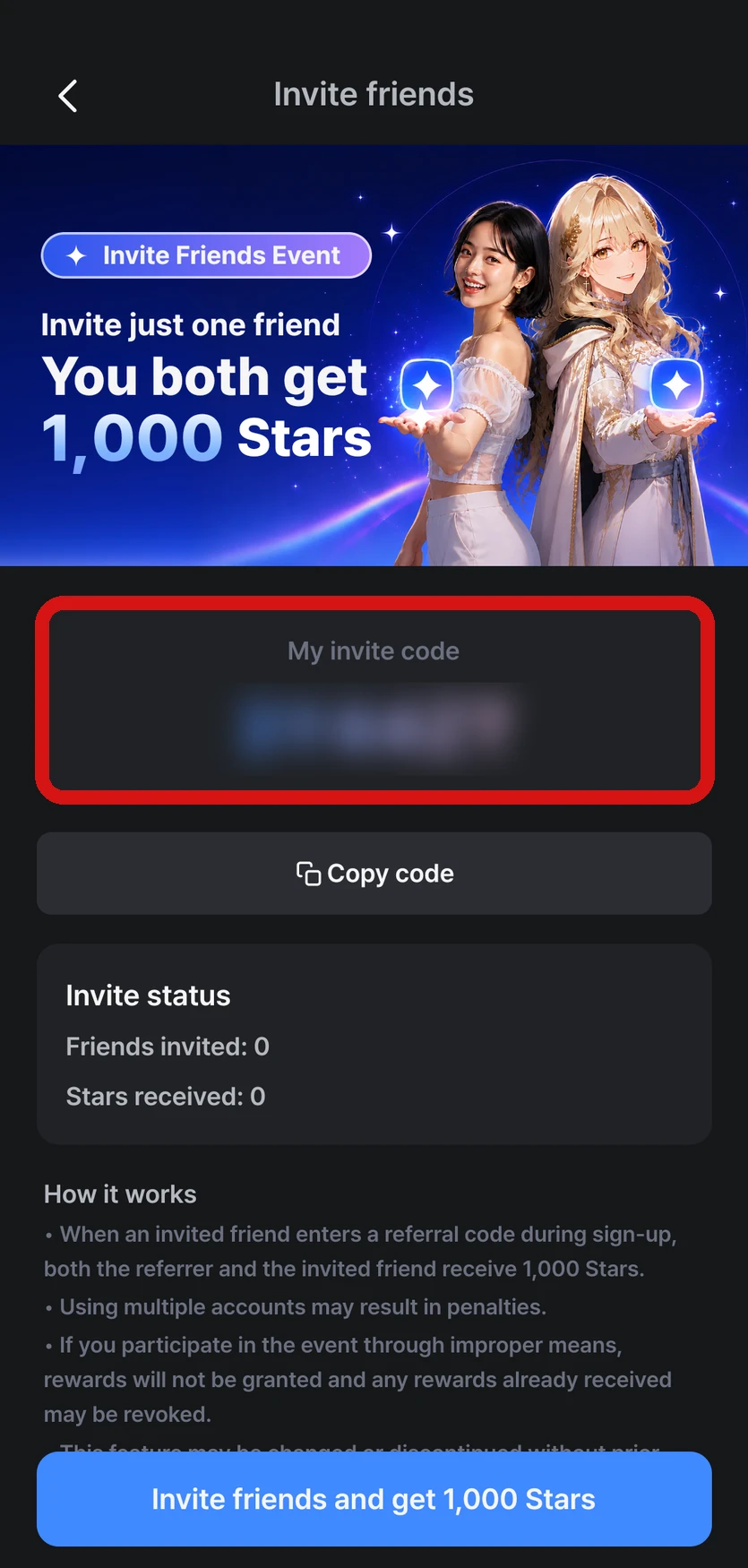
Reward conditions
- When your friend enters the code and finishes signing up, you and your friend each get 1,000 Stars
- There's no limit on how many people you can invite. You can see the number of friends you've invited and the Stars you've received in Invite status
- You can't use your own invite code
- The invite reward can only be received once per account and device
- These are free Stars, so they must be used within 30 days
FAQ
Q. I forgot to enter a code when I signed up.
You can't enter an invite code after you finish signing up. Instead, you can get rewards by inviting other friends with your own invite code.
Q. My friend signed up with my code, but I don't see the Stars.
Check the 「History」 tab in MY → menu (≡) at the top right → 「Settings」 → 「Star history」 and Invite status on the Invite friends screen. Your friend needs to enter the code during sign-up and finish signing up for you to receive it. If they signed up on a device that has already received an invite reward, the reward can't be given.
If you still don't see it, let us know through Contact support along with your login email address.