
The AI's responses seem off
Last updated: October 29, 2026
If you don't like a response, try regenerating it, going back to make a different choice, or changing the AI model. Stories and chats are created by the AI in the moment, so sometimes they may go in an unexpected direction or the wording may feel awkward.
Try these
- Regenerate — Create the scene you don't like again (this uses Stars for one response, and the content after that point is replaced with the new scene)
- Go back — Return to the previous point and try a different choice (creating a new scene with a different choice uses Stars)
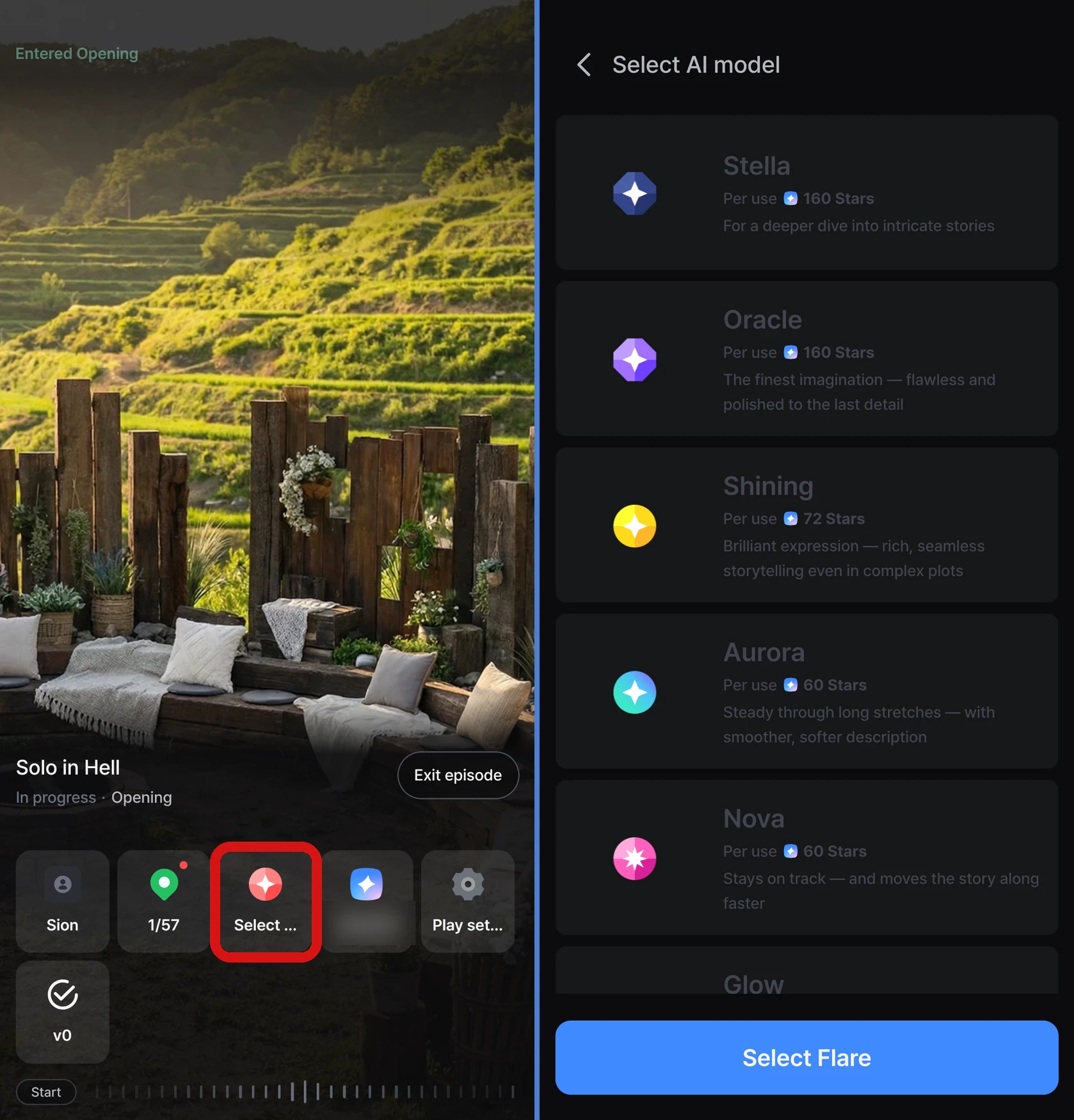
- Change the AI model — You can change it in ⚙「Settings」 → 「Select model」 on the right side of the play screen, and it applies from the next scene the AI writes. On the web, you can also change it in 「Select model」 in the play menu
- Write a Memory Note — Write details about your character that you really want kept in ⚙「Settings」 → 「My info」 → 「Memory Note」, and they'll be reflected in the story from the next scene
If you're not sure where the play menu is, see I want to change settings while playing.
An error message appears and no scene is created
| Message | What to try |
|---|---|
| "Something went wrong. Please try again later. No Stars were deducted." | No Stars were used. Please try again with the same input in a little while |
| "We are experiencing high demand. Please try again later. No Stars were deducted." | No Stars were used. Please try again in a little while |
| "The AI is generating the story. Please wait a moment." | The previous scene is still being created. Wait until it finishes, then try again |
| "The AI detected inappropriate content…" | See I keep seeing an "inappropriate content" message while playing. No Stars are used |
FAQ
Q. The AI ignores my lines and moves the story along.
This can happen occasionally. Try creating it again with Regenerate, or switch to a different AI model. If it keeps happening in the same Episode, please report it as described below.
Q. Sentences that look like English instructions show up in the middle of the story.
When this happens, that scene is treated as an error and no Stars are used. When the error appears, try again with Regenerate.
Q. The same scene keeps repeating.
This may be a flow the Director (the person who made the Episode) created on purpose. Completing the mission or making the right choice will move you forward. If it doesn't seem intended, please report it as described below.
Still seems wrong? Let us know
If the same problem keeps happening or it looks like a clear error, report it through Contact support. Sending the Episode name, where it happened, and a screenshot helps us check faster.
For how to contact us, see I want to contact support.