
Technical Issues
I want to contact support
Last updated: October 29, 2026
In the app, you can contact us from 「MY」 → menu (≡) at the top right → 「Settings」 → 「Community」 → 「Contact support」. Depending on your app version, the 「Frequently asked questions」 screen may open first. If so, tap 「Contact support」 at the bottom. On the help center website, tap the chat button at the bottom right of the screen.
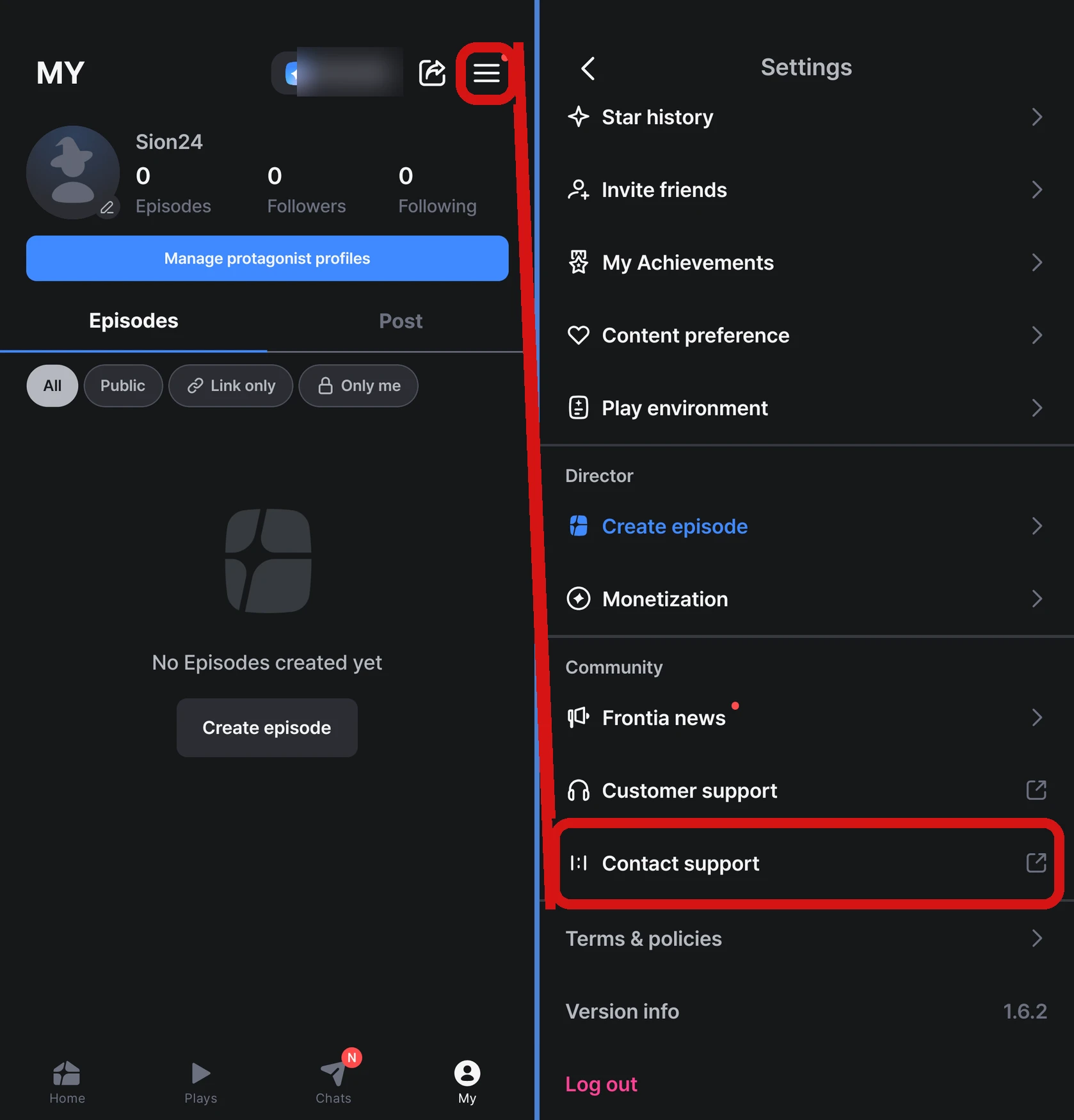
We reply within 1–2 business days.
You can also report on Discord
You can also report errors in the bug report channel on the official Frontia Discord.
Please include this information when you contact us
- What problem you ran into
- A screenshot of the error screen
- Device info (model, OS version)
- App version
- When the problem happened
- For payment or Star questions, the email address you log in to Frontia with and a screenshot of your payment history
The more detail you share, the faster we can help.
Was this helpful?