
I want to find a fun Episode
Last updated: October 29, 2026
You can find Episodes in the 「Drama」 / 「Novel」 tabs on Home, genre chips, rankings, NEW, and search. Tap an Episode card you like and a preview of the prologue plays right away. Tap 「Start」 to begin playing.
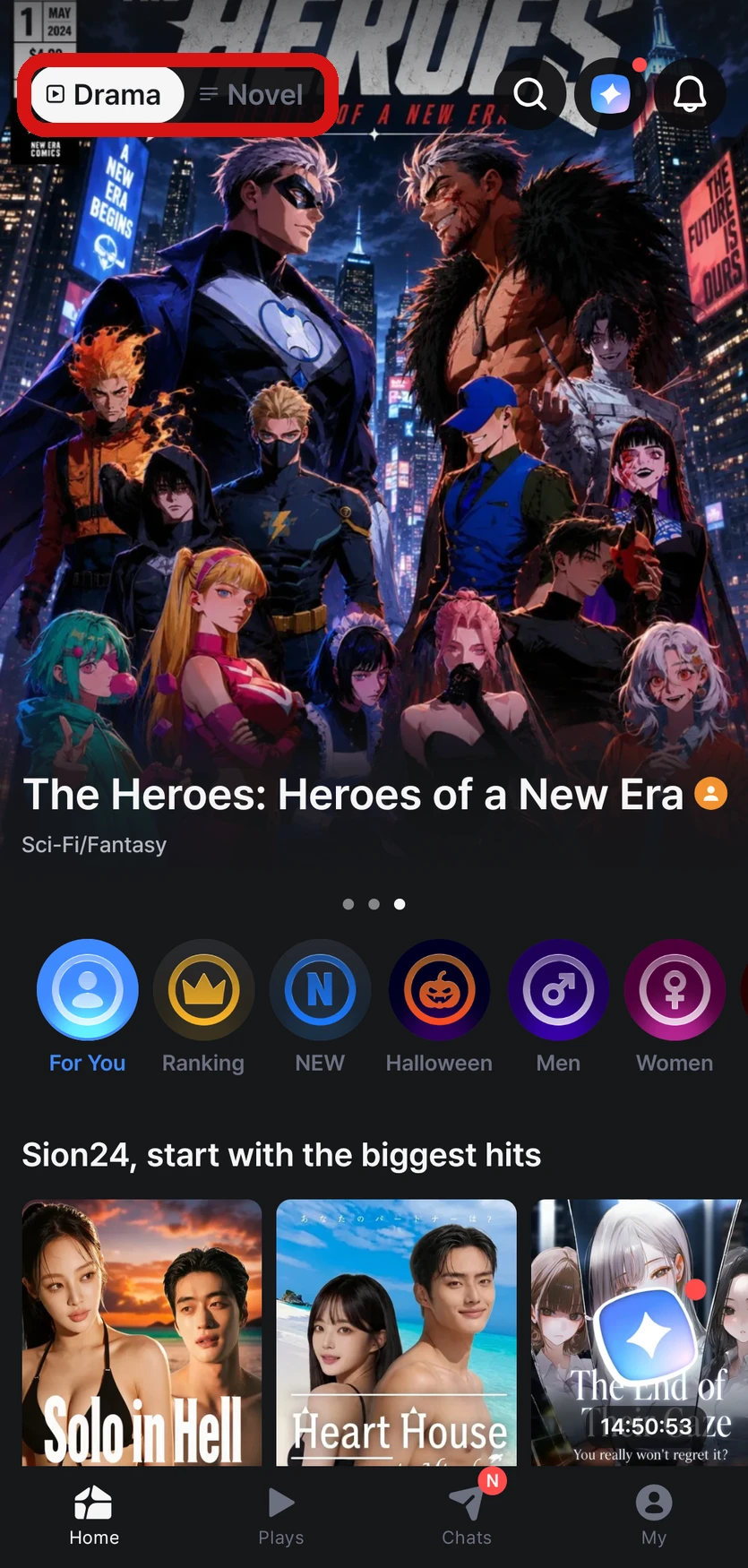
Where to look
- Drama / Novel tabs — Choose how you want to view Episodes at the very top of Home. The app opens to the tab you used last → What's the difference between Drama and Novel?
- Genre chips — Tap the chips below the banner to see Episodes grouped by genre or theme
- Rankings — View real-time, daily, weekly, monthly, and all-time rankings, split into all, male, and female. You can change the criteria yourself in the filter
- NEW — Shows newly published Episodes. An N mark on a card also means it's new
- Comment highlights — Discover new Episodes on Home through comments other people have left
- Search — Look up the Episode you want directly
- Similar Episodes — Get recommendations for similar Episodes at the bottom of the Episode details screen
The Episodes you see on Home depend on your content preference setting → My home screen isn't showing Episodes I like
On the web, use the Home tab and search bar in the header and the 🕒 「Recent history」 button. Hover over a card on Home to see a preview.
Find Episodes by tag
Tap a tag shown on an Episode, or type #tag in the search bar, to see all Episodes with that tag.
- If you enter several tags together, like
#fantasy #romance, only Episodes with all of those tags appear - You can sort by Most popular (default) or Newest first
Preview before you start
Tap an Episode card and the prologue preview plays automatically. Previews are free and don't leave any play history. Scroll down for details like the description, preview images, and information about the Director (the person who made the Episode).
- Tap 「Start」 to begin playing from the prologue you just watched
- On the Episode details screen in the app, choose 「Drama」 or 「Novel」 to start in the view you want
- If you tap a choice, type your own input, or tap 「Auto continue」 at the end of the preview, a new playthrough starts right away with that input, and Stars are used as the AI writes the first part of the story
- Previews of mature Episodes only play on accounts that have confirmed they're 18 or older → I want to see adult (18+) Episodes
For Episodes with several prologues, choose the one you want before starting. You can't change the prologue you chose during that playthrough. To start with a different scene, start a new playthrough.
Choose your character in the story
If there are several characters to choose from, a screen for choosing your character in the story (「Protagonist」 in the app) appears when the prologue ends. Pick a character the Director recommends or one of the protagonist profiles you made, and start → I want to change my character in the story
The scene that plays right after you choose the prologue and your character is free. Stars are used from when you start typing lines or picking choices after that.
FAQ
Q. Tag search isn't showing any results.
If you don't see tag search, please update the app to the latest version.