
I want to create an image of my character in the story
Last updated: October 19, 2026
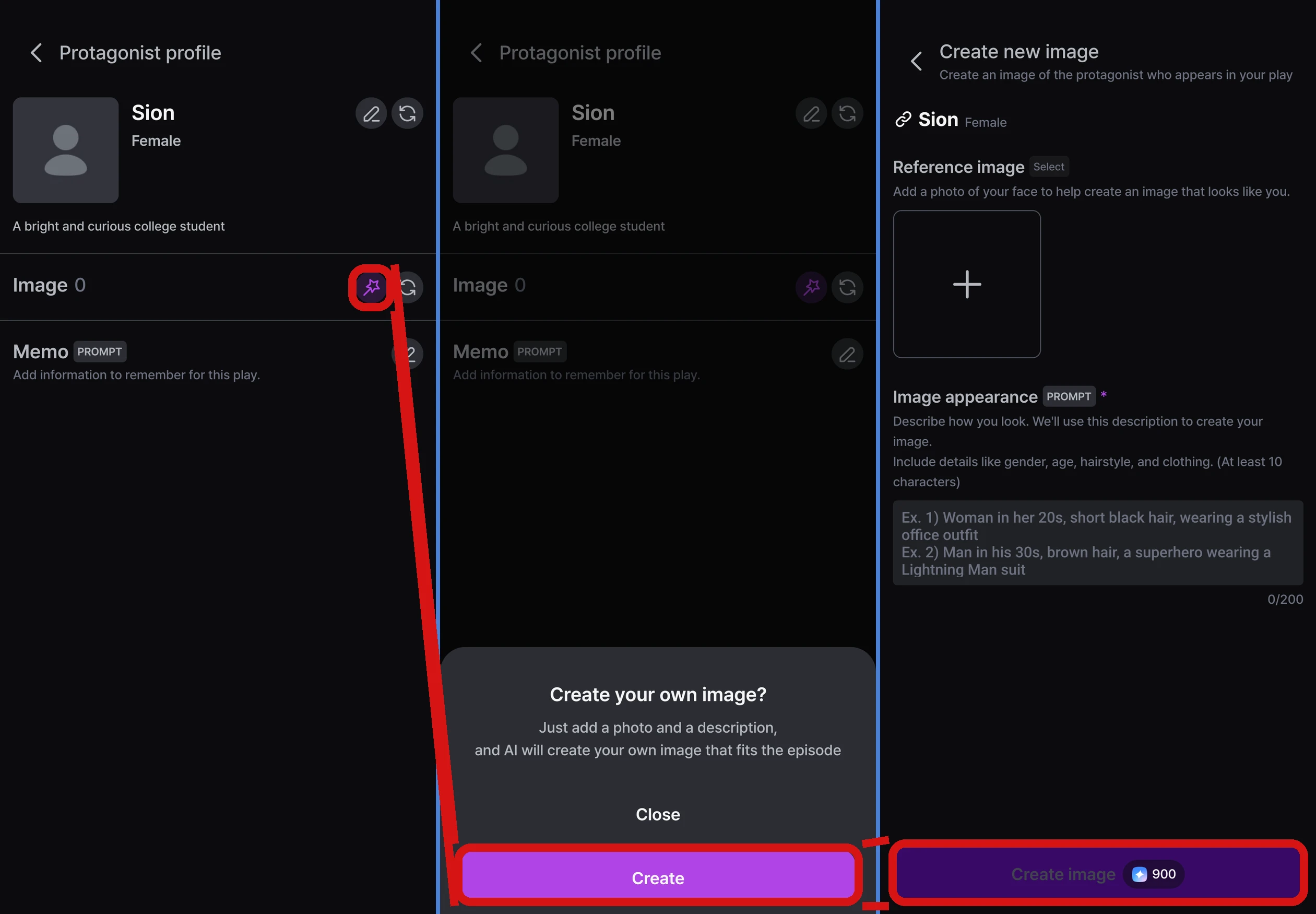
During play, go to 「⚙ Settings」 → 「My info」 → 「New image」 → 「Create」 to create an image from an appearance description and a reference photo. The image you create appears when your character in the story (「Protagonist」 in the app) speaks. New images can only be created during play.
Where to create one
- During play: 「⚙ Settings」 → 「My info」 → 「New image」 → 「Create」
- On the character selection screen: 「New image」 on a character that doesn't have an image
How to create one
- Write the 「Image appearance」 description (required, 10–200 characters)
- Add a 「Reference image」 (optional). If you add a photo of a face, the image will look similar. In the app, use 「Take a photo」 or 「Choose from photo library」; on the web, upload a file
- Tap create, and 1 base image appears first, followed by 5 expressions (smiling, sad, angry, neutral, surprised)
- When it's done, tap 「Use」 to use it as your character's image in this playthrough
How many Stars does it take?
| Stars | |
|---|---|
| 1 image | 150 Stars |
| All 6 images completed | 900 Stars |
| Recreating one expression | 150 Stars |
Stars are used only for completed images. They aren't used in these cases.
- When creating the base image fails — try again with 「Retry」
- When some expressions fail — you only pay for the completed images
- When "An inappropriate image was detected" appears — change the description or photo with 「Edit details」 and try again
- When you don't have enough Stars — top up with 「Top up」 and create it again
Recreating images
- If you 「Regenerate」 just one expression, only that one is replaced with a new image
- If you recreate the base image, all the expressions are recreated too. Your current image stays in the Image library
Image library
Images you create are collected in MY → 「Manage protagonist profiles」 → 「Image library」 tab. Each card shows the date it was created and the profile it's linked to.
| What you can do | Details |
|---|---|
| Rename | The default name is "Image N". Rename it so it's easy to recognize |
| Regenerate | Create a new version of one expression (150 Stars) |
| Delete | It's removed from the linked profile and no longer appears in playthroughs that used it |
You can link Image library images to a protagonist profile with 「Select image」 in Edit profile, or use them right away during play with 「My info」 → 「Replace image」. You can't create new images in MY — you can only manage the ones you've made.
FAQ
Q. It says "An image is being created in another episode."
You can only create one image at a time. Please try again after the image being created in the other Episode is finished.
Q. Can I keep playing while it's being created?
Yes. It's applied to the story once it's done.
Q. Can I create a new image for a character the Episode already provides?
No. 「New image」 and 「Replace image」 aren't available for characters whose images were prepared by the Director. You can create one if you switch to a protagonist profile you made → I want to change my character in the story