
I want to change my character in the story
Last updated: October 19, 2026
During play, you can change it anytime in 「⚙ Settings」 → 「My info」 → 「Replace protagonist」 on the right side of the play screen. In the app, your character in the story is called the 「Protagonist」.
You can also choose when you first start an Episode. When the prologue (the opening scene) ends, the 「Choose the protagonist (you) of this story」 screen may appear.
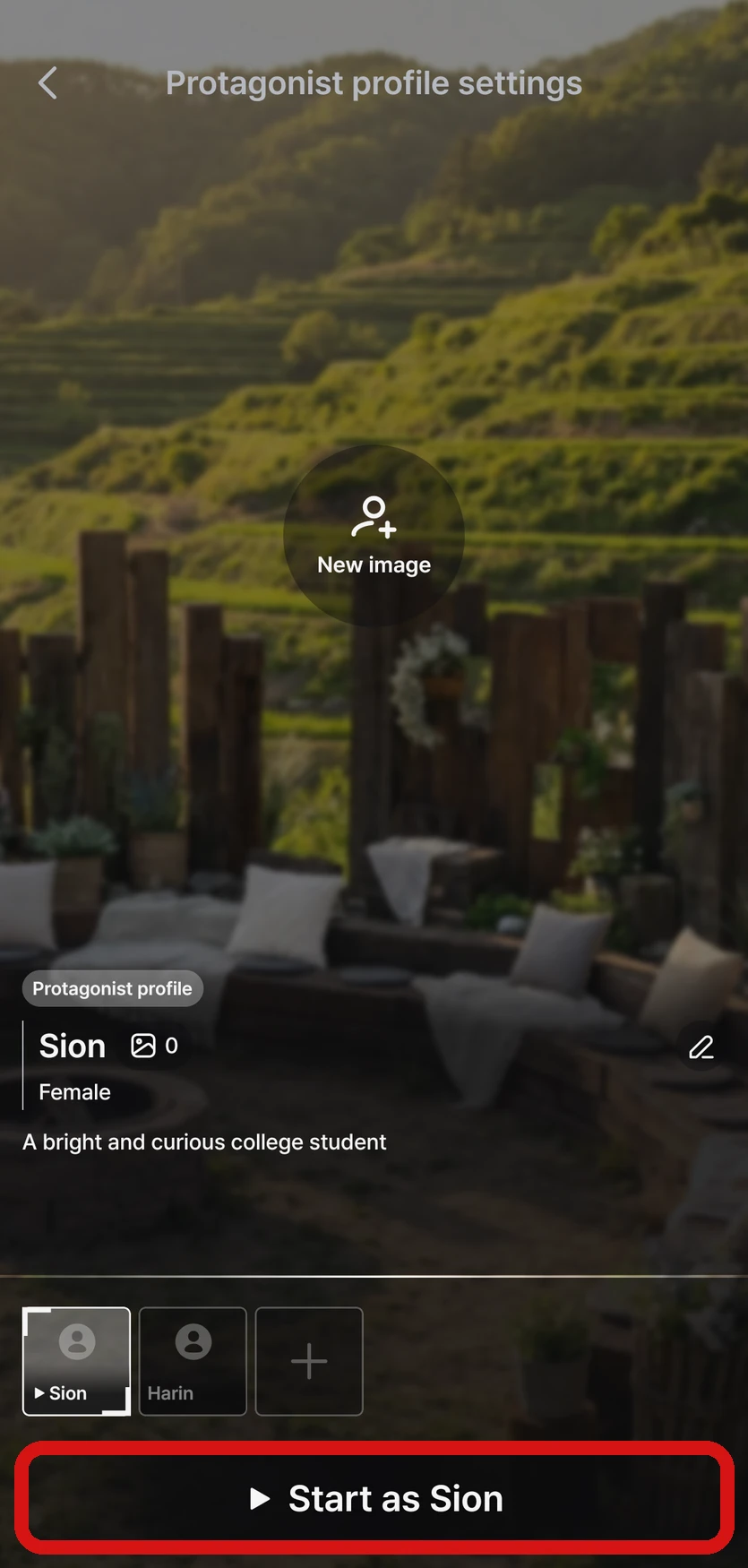
Choosing your character when you start
There are two kinds of characters you can choose.
- 「Director's pick」 — characters the Director prepared for this Episode
- Characters you made — all the 「Protagonist profiles」 you've created in MY
Each option shows its name, number of images, gender, and traits. You can make a new profile right away with the 「+」 button and edit your profiles with the pencil button. Choose the character you like and tap 「Start as (name)」 to confirm.
- If there's only one character to choose from, the Episode starts right away without the selection screen
- Depending on the Episode, a special scene plays for free right after you choose your character, followed by choices
- In Novel, tap the 「Choose the protagonist (you) of this story」 button at the end of the first scene to open the selection screen
- In the app, the selection screen also appears at the end of the first scene in the 「Prologue」 preview on the Episode details page, and choosing one takes you straight into play
On the web, you choose the same way after starting to play (in Novel, use the 「Choose protagonist」 button).
Changing it during play
You can do this in 「⚙ Settings」 → 「My info」 on the right side of the play screen.
| Menu | What it does |
|---|---|
| 「Replace protagonist」 | Switch to a different character |
| 「Replace image」 | Choose an image from your Image library and tap 「Replace」 |
| 「New image」 | Create a new image of your character → I want to create an image of my character in the story |
| 「Edit profile」 | Edit the name, traits, and more |
| 「Memory Note」 | Write notes about your character. What you write is reflected in the story |
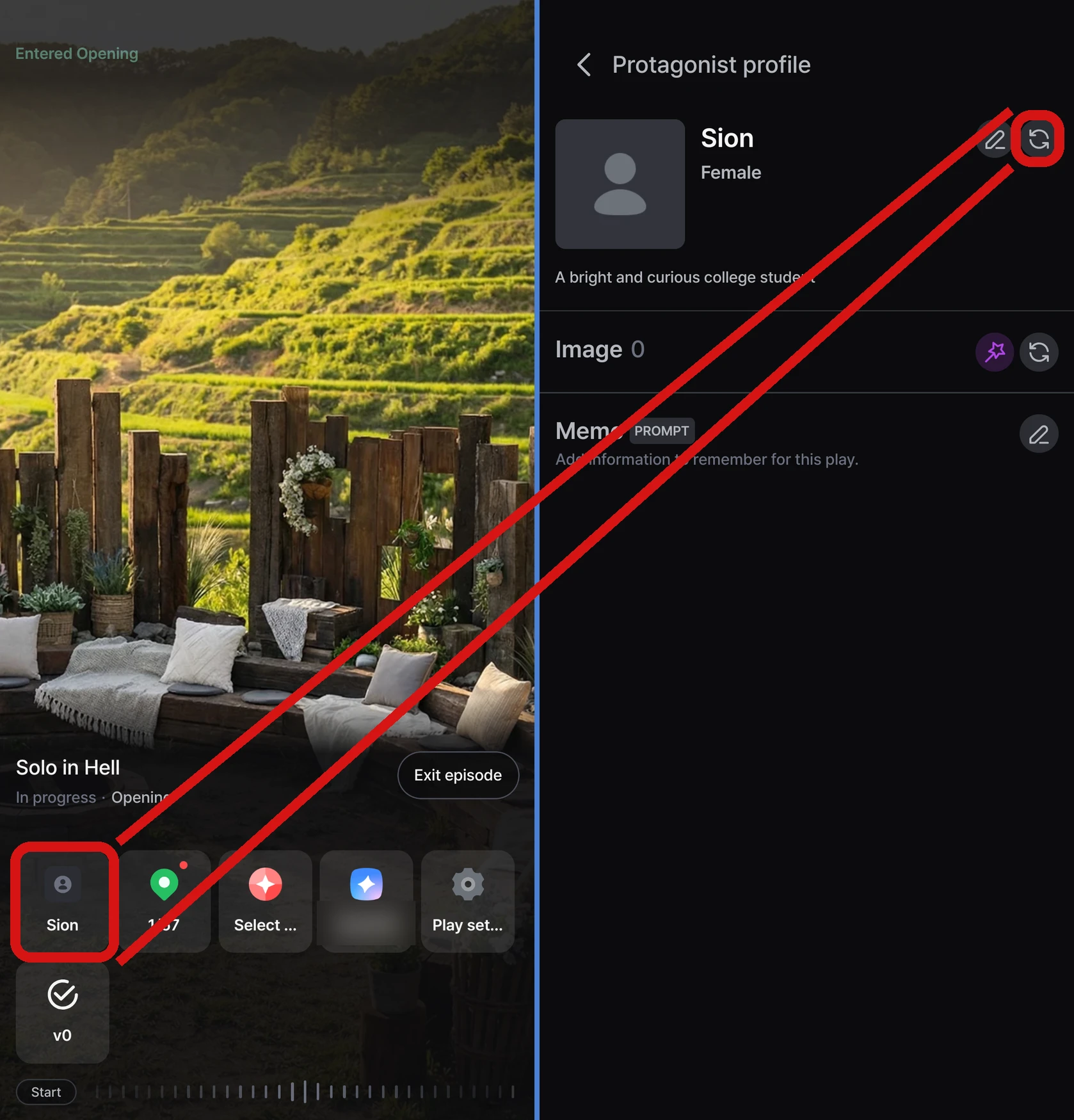
- Changes you make during play are saved only for that playthrough. Your original protagonist profile in MY doesn't change
- Changes take effect from the next time the AI continues the story
- 「Replace image」 and 「New image」 aren't available for characters whose images were prepared by the Director. My info shows only 1 main image, and you'll see other images as you play
FAQ
Q. My character's image doesn't appear in the first scene.
It doesn't appear in the first scene. Your character's image shows up when your character speaks, starting from the scene after you choose them.
Q. The character selection screen doesn't appear.
If there's only one character to choose from, the Episode starts without the selection screen. If you make more protagonist profiles in MY, you'll be able to choose from your next playthrough. If you don't see the selection screen in the app, please update to the latest version from the store.
For how to make a profile for your character, see I want to change the name characters call me or my details.