
I want to change the AI model
Last updated: October 29, 2026
Tap 「⚙ Settings」 at the top of the button column on the right side of the play screen to open the menu, then choose the model you want in 「Select model」. On the web, you can also change it in 「Select AI model」 in the play menu. If the model you want isn't in the list, tap 「Show more models」 below the list.
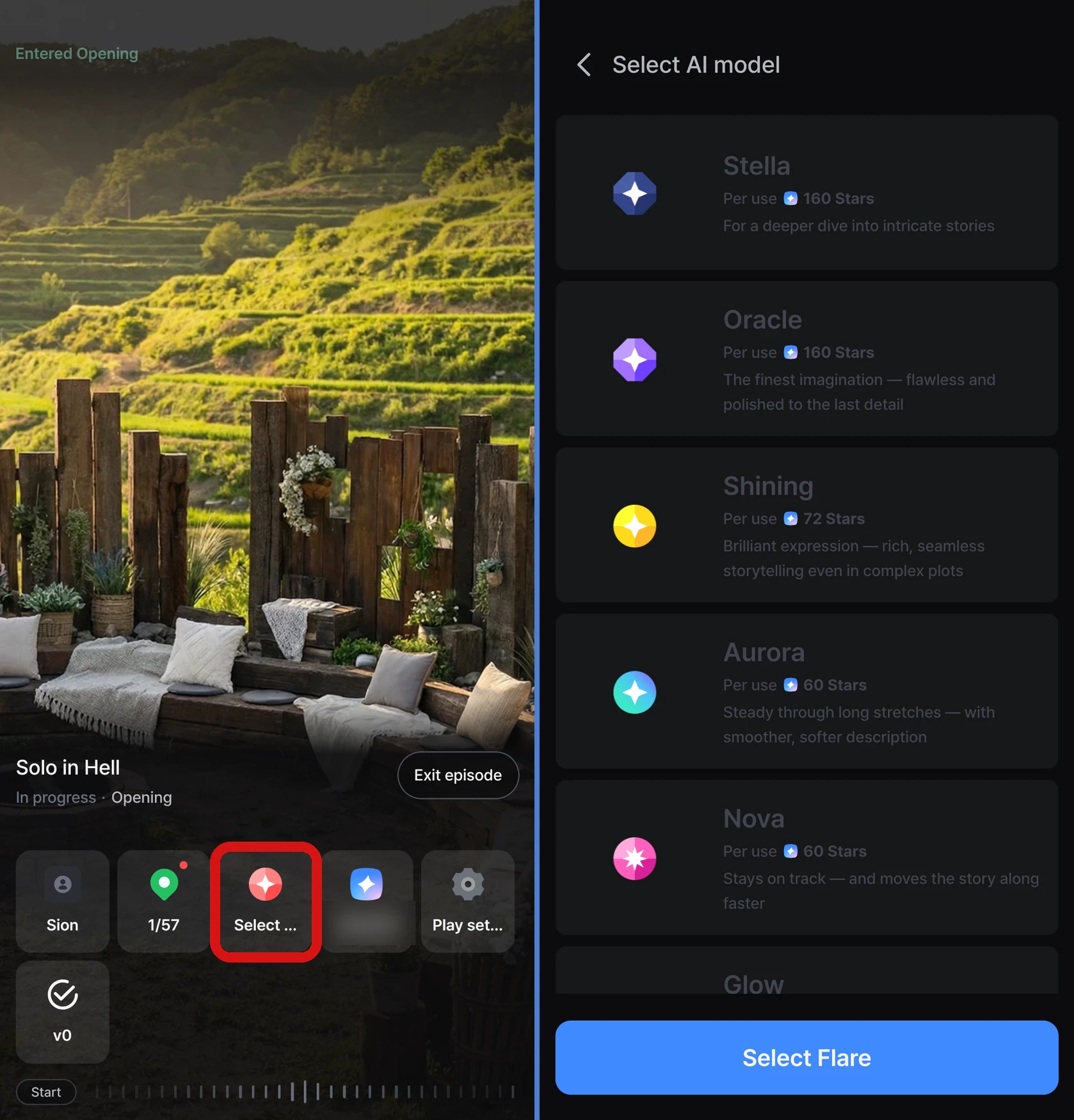
- The new model applies from the next time the AI continues the story
- You can't change it while the AI is writing the story
- Tapping the middle of the screen doesn't open the menu — it pauses or resumes auto-advance. For where the menu is, see I want to change settings while playing
Frontia has 10 AI models. If you're not sure which to pick, try playing with the model the Director recommends (「Director's pick」).
Model comparison
| Model | Stars per response | Best for |
|---|---|---|
| Stella | 160 | When you want to enjoy complex stories in depth |
| Oracle | 160 | The most nuanced imagination, thorough and highly polished |
| Sage | 72 | Thoughtful, delicate writing — immersion that never breaks |
| Aurora | 60 | Stays steady even in long stories, with softer descriptions |
| Nova | 60 | Consistent context with faster-moving plots |
| Glow | 60 | Calm and stable, keeping the setting solid and intact |
| Flare | 60 | Burning emotions, vivid with the deepest immersion |
| Spark | 20 | When you want a satisfying play without the cost worry |
| Wings | 10 | A light flight — the fastest and most affordable |
| Shining | 72 | Sparkling expression that handles complex plots richly and smoothly |
Stars are used based on the model selected at the moment the AI continues the story, not when you chose the model.
When are Stars used?
Typing a line, picking a choice, 「Auto continue」, and 「Regenerate」 — each of these makes the AI continue the story once, and the amount in the table above is used each time. Stars aren't used for the prologue (the opening scene), the scene that plays right after you choose your character in the story, or when no response was created because of an "inappropriate content" message.
What if the AI gives an odd response?
Each model has its own personality, so the same input can lead to different results. Try these.
- Switch to a different model — change it as described above
- Be more specific — describing the situation, rather than writing something short, leads to better responses
- 「Regenerate」 — get a different response to the same input. Stars are used once, and the content after that point is replaced with the new response
- Go back — return to an earlier point and try a different choice. If you continue the story with a different choice, Stars are used, and the content after that point is replaced with the new content