
How do I chat 1:1 with a character?
Last updated: October 19, 2026
Tap the 「1:1 chat」 button on the Episode details screen, or start a conversation right away from the 「Chats」 tab at the bottom of the app. On the web, tap the chat icon at the top of the screen. This feature lets you have 1:1 conversations with characters outside of Episodes, just like in a messenger app (in the app, these characters are called 「Souls」).
Where to start a conversation
| Where | Description |
|---|---|
| 「Chats」 tab (app) | Choose from the list of characters you're chatting with (last message, time, and unread messages) |
| Chat icon (web) | Tap the chat icon at the top of the screen to open your chat list |
| Episode details screen | Tap a character, then the 「1:1 chat」 button |
You can start a conversation even if you've never played the Episode. However, the 「1:1 chat」 button only appears for characters you can chat with separately. On the web, you can chat with the same features as in the app.
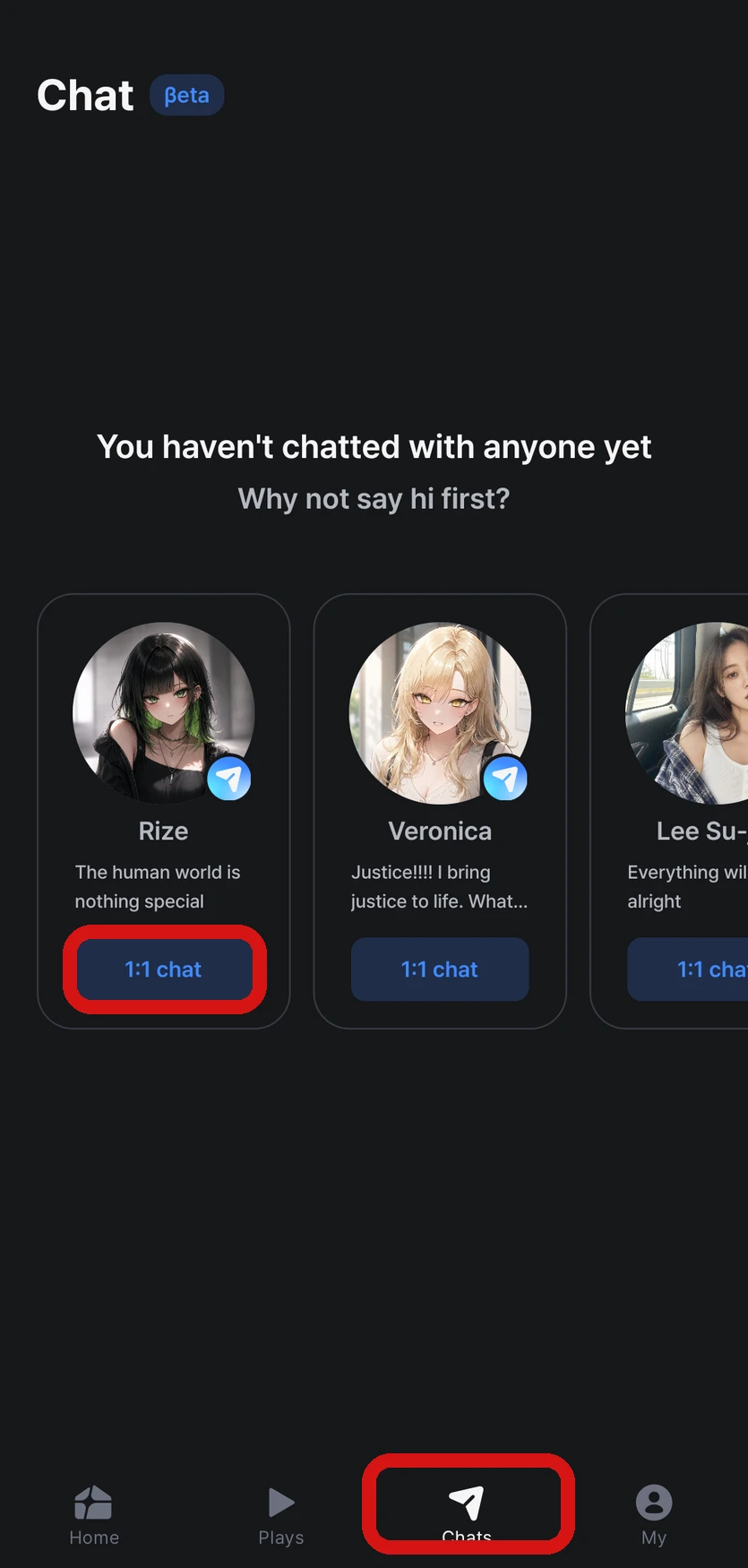
How to chat
| Feature | Description |
|---|---|
| Send messages | You can type up to 750 characters at a time |
| Voice input | Use the microphone button in the input field to turn what you say into text (depends on your device and keyboard settings) |
| Send photos | You can send photos too, and the character looks at them and reflects them in the conversation |
| Get a new response | You can regenerate a failed response or the last response |
| Read receipts | The 1 mark disappears when the character reads your message |
| Date dividers | Conversations are separated by date |
When you start a conversation for the first time, the first response may take a little longer than usual.
10 Stars are used each time the character replies, and no Stars are used if a response fails. You can find details on costs in When and how many Stars are used?.
Chat menu
Open the menu at the top right of a chat to find these items.
| Item | Description |
|---|---|
| Profile photo · Relationship level | Shows how close you've become with the character (What's the level that goes up when I chat with a character?) |
| 「How the character sees you」 | Your details used when chatting with this character (see below) |
| 「Get your own messages」 | Turn on or off messages the character sends you first (A character messaged me first) |
| 「Related episodes」 | A list of Episodes this character appears in |
How the character sees you
In 「How the character sees you」, you can check who the character thinks you are and edit it yourself, up to 500 characters. Write down anything you'd like reflected in the conversation, like your personality, way of speaking, or relationship with the character. What you write here is used only in that chat, and it's separate from the 「Protagonist profile」 used in Episodes.
FAQ
Q. I don't see the 「1:1 chat」 button.
The button only appears for characters whose Director has opened 1:1 chat. For other characters, you can only see their image and intro.
Q. I see a message in chat saying inappropriate content was detected.
This message appears when your message or the character's response is caught by the AI model provider's content filter. No Stars are used when this happens. Try rewording and sending it again. If it keeps happening in the same chat, let us know through Contact support with the character's name and when it happened → I want to contact support
Q. Can I leave a chat or delete my chat history?
There's only one chat per character, and leaving a chat or deleting chat history isn't supported.
Q. What happens to my conversation if the character is made private or deleted?
You can still see your existing conversation, but you can't send new messages. Instead of the input field, you'll see "You can't talk to this character right now." If you're able to chat again later, you can pick up the conversation.
Q. I want to change the name the character calls me.
Characters call you by the name of your main 「Protagonist profile」 (or your account nickname if you don't have a main profile). Go to 「MY」 → 「Manage protagonist profiles」 and edit the name of your main profile, or set a different profile as your main profile.
Q. The character seems to know what time it is.
Yes, characters know the current time. Times of day, like late at night or early in the morning, come through naturally in the conversation.
See how close you've become in What's the level that goes up when I chat with a character?, and messages characters send you first in A character messaged me first.